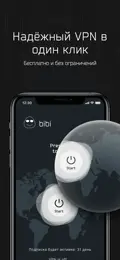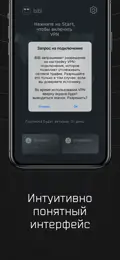










Fast
A modern protocol and servers in several countries. We watch the load and never overload our nodes.
One tap and your connection is encrypted. Apps for iPhone, Android and Windows, sign-in by email, no subscription.
Hi! I’m bibi 👋
185.•••.••.•••
Tap to see how it works
Get started
We send a code — no passwords, no sign-up forms.
The first 24 hours are free, no card needed.
From 149 ₽ a month. Longer terms are cheaper.
SBP, SberPay or a MIR card — the days land on your device at once.
Why bibiVPN
A modern protocol and servers in several countries. We watch the load and never overload our nodes.
The connection holds on phones and computers, on mobile data and Wi‑Fi.
A new protocol with stronger data protection. Privacy even on public Wi‑Fi.
One-off payments: no subscription, no auto-renewal. One payment — one device.
No hidden features, no traffic monitoring. We don’t record which sites you visit.
Sign in with your email and tap “Connect”. Pay on the site, in the app or in the Telegram bot.
Devices
One email on all your devices. Each device is paid separately.

Point your phone’s camera at the code — bibiVPN for your phone opens.
Pricing Current prices
24 hours free first. Then a one-off payment for one device. No subscription — nothing renews on its own.

 Pay with SBP, SberPay or a bank card
Instructions
Pick your device — step by step, in a couple of minutes.
2 minutes · App Store
In the App Store tap your avatar at the top right, then your name.
In “Account Settings” choose “Country/Region” and find “Kazakhstan”.
Tap “Continue”, then “Agree” to the App Store terms.
Payment method — “None”. City — Almaty, your address and phone. Tap ✓ at the top.
Go back to App Store search, find “BiBi VPN” and tap “Get”.
Download the official APK straight from our site — no Google Play needed. Installing takes a couple of minutes.
Official APK · version 2.0.22 minutes · official APK
The official installer file from our site — no Google Play needed.
Android asks for permission — turn on “Allow from this source”.
Tap “Install”, sign in with your email and tap “Connect”.
Download the installer and run it — the app installs and is ready for sign-in by email.
Windows 10 and 11 · version 2.0.21 minute · Windows 10 & 11
Download and run the bibiVPN installer for Windows.
If Windows says it “protected your PC” — “More info” → “Run anyway”.
Without them Windows won’t let the app create a secure connection.
Didn’t work? Message our support — we’ll help. Message us in Telegram
FAQ
bibiVPN is a fast and secure VPN service. It encrypts your connection, hides your IP address and protects your data on public Wi‑Fi. Apps are available for iOS, Android and Windows, macOS is coming soon.
The first 24 hours after your first connection are free, once per app installation. After that one device costs 149 ₽ a month, longer terms are cheaper: 3 months 400 ₽, 6 months 790 ₽, 12 months 1520 ₽.
No. Every payment is one-off: there is no subscription and nothing renews on its own. When the term ends, renew manually on the site, in the app or in the Telegram bot.
On the site — with SBP, SberPay or a bank card (payments by YooKassa, we never see your card). You can also pay in the app or in the Telegram bot @bibi_fast_vpn_bot — the days go to the account with the same email.
One payment — one device. Sign in with one email on iPhone, Android and Windows and pay for each device separately. Paid days can be moved between devices in your account.
Only what the service needs: your email, the app installation ID and traffic volume. We don’t record which sites you visit and never sell or share data.
On Android, install the official APK from our site. On iPhone, message our support @bibi_vpn_support — we’ll help you install it.
First 24 hours free
Download bibiVPN, sign in with your email and tap “Connect”. The first 24 hours are on us.
Or connect via the Telegram bot